'%3e%3crect%20width='24'%20height='24'%20fill='%23372AA4'/%3e%3c/g%3e%3c/svg%3e)
What Is a Steam Gift Card Used For?
Learn what a Steam gift card is used for, where you can use it on Steam, how to redeem it, its limitations, and whether it can be converted to cash.
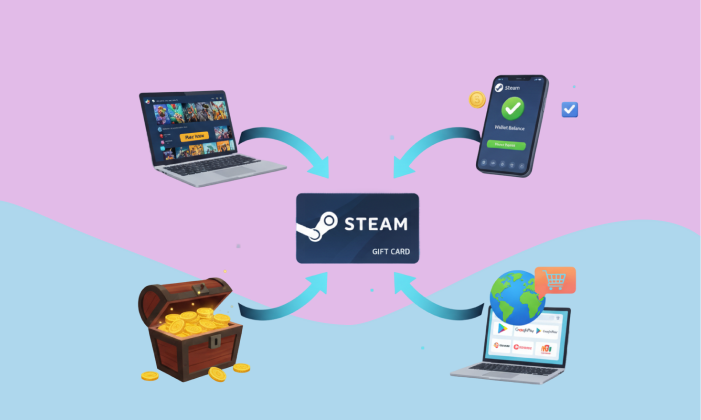
What Is a Steam Gift Card Used For? (Complete Guide)
You’ve probably come across a Steam gift card at some point, maybe someone sent it to you, or you picked one up thinking it’s just another simple code to redeem later. And like most people, you may have paused at one point and asked yourself what you can actually do with it beyond adding it to your account on Steam.
It’s not something you can directly withdraw as cash through Steam, even though some people choose to resell or exchange it outside the platform. Instead, it functions as a prepaid balance that sits in your Steam Wallet and is used for purchases within the ecosystem.
Behind this system is Valve Corporation, which has built Steam into one of the largest digital marketplaces for games and related content.
So what exactly makes a Steam gift card useful, and why do people keep using it instead of direct payments?
In the sections that follow, we’ll take a closer look at what a Steam gift card is actually used for, how it works in practice, and the different ways people apply it within the Steam ecosystem.
Key Takeaways
- A Steam gift card adds funds to your Steam Wallet, which is used within the Steam platform.
- It can be used to buy games, downloadable content, software, and certain hardware.
- You can also use it to send gifts to others on Steam.
- It does not function as cash and cannot be withdrawn directly.
Also Read: Steam vs Google Play Gift Cards in Nigeria: Which Is Better For You?
What Is a Steam Gift Card?
A Steam gift card is a prepaid form of credit that you can add to your account on Steam and use to make purchases within the platform. Instead of paying directly with a debit or credit card every time, the gift card allows you to load a fixed amount of money into your Steam Wallet, which then serves as your payment method for games, downloadable content, and other digital items.
Think of it as a stored balance that sits inside your Steam account. Once you redeem the code on the card, the value is converted into wallet funds, and those funds remain available until you spend them. There’s no expiry on the balance itself after redemption, so you can use it gradually over time depending on your needs.
Steam gift cards are issued and supported within the broader ecosystem managed by Valve Corporation, which operates Steam as a global marketplace for digital games and related content. Because of this, the gift card is not a standalone payment tool, it is made specifically for use within Steam.
These cards are usually available in two formats:
- Physical cards, which you can purchase from retail stores
- Digital codes, which are delivered electronically after online purchase
Both formats serve the same purpose and ultimately perform the same function once redeemed.
What Is a Steam Gift Card Used For?
Once a Steam gift card is redeemed on Steam, the value doesn’t just sit there without purpose, it becomes usable credit that can be applied to different types of purchases depending on what you need at the moment. For most people, it’s less about the card itself and more about what the balance allows them to access over time.
The uses are straightforward, but they cover more ground than many expect.
1. Buying Games
For many users, this is the main reason they redeem a Steam gift card.
Steam offers a wide selection of games across different genres and price ranges. After adding funds to your wallet, you can use the balance to:
- Purchase full games you’ve been interested in
- Pre-order upcoming releases before they launch
- Take advantage of discounted prices during sales periods
Instead of linking a debit or credit card, some users prefer to load a specific amount into their wallet and use only that for game purchases. It helps them stay within a set spending limit while still accessing new titles whenever they want.
2. Purchasing Downloadable Content (DLC)
Many games on Steam go beyond the base version and include additional content that can be purchased separately.
With your Steam Wallet balance, you can pay for:
- Expansion packs that add new storylines or areas
- Additional missions or levels
- Character upgrades that improve gameplay
- Skins and cosmetic items that change appearance without affecting performance
These additions are often used to extend the value of a game you already own, giving you more to explore without switching to a completely different title.
3. Buying In-Game Items
Some games allow players to purchase items directly within the game interface.
These items may include:
- Cosmetic skins
- Weapons or gear
- Customization options for characters or profiles
- Battle passes and seasonal upgrades
Your Steam Wallet balance can be applied to these purchases without needing to enter separate payment details each time. Once the wallet is funded, transactions within supported games draw directly from that balance.
4. Purchasing Software
Steam is not limited to games alone. It also includes software tools that are available for purchase through the same platform.
With a Steam gift card, you can access:
- Creative applications
- Game development tools
- Productivity or utility software related to gaming
While this is not what most people focus on first, it shows that the platform supports more than entertainment. The same wallet balance can be used to explore and acquire these tools when needed.
5. Buying Steam Hardware
Valve has introduced hardware products designed to work alongside Steam, especially devices built for gaming.
In some situations, Steam Wallet funds can be used toward eligible hardware purchases available on the platform. This allows users to apply their balance toward devices rather than limiting it strictly to digital items.
6. Sending Gifts to Other Users
A Steam gift card balance can also be used to give something to someone else.
You can:
- Send a game directly to another Steam user
- Contribute toward a purchase for a friend
- Use your balance to support someone else’s choice of game
This is why Steam gift cards often come up during birthdays, celebrations, or moments where someone wants to share access to a game they enjoy.
You may also like: How to Sell Steam Gift Cards in Nigeria
How to Redeem a Steam Gift Card
Redeeming a Steam gift card is a simple process once you know where to go. After adding the code to your account on Steam, the value is converted into Steam Wallet balance and becomes available for use immediately.
Here’s how to do it step by step:
- Log into your Steam account
Open the Steam application on your computer or visit the Steam website and sign in with your credentials. - Go to the Wallet or Account section
From the top menu, click on your username, then navigate to the section where wallet details or account information is displayed. - Select “Add Funds” or “Redeem a Steam Wallet Code”
You’ll see an option that allows you to add money to your wallet. Click on the option to redeem a code. - Enter your Steam gift card code
Carefully type in the code exactly as it appears on your card or in your email if it’s a digital version. Pay attention to letters and numbers to avoid errors. - Confirm the redemption
Review the details on the screen and confirm the transaction. Once approved, the balance will be added to your Steam Wallet. - Check your updated wallet balance
After successful redemption, your wallet will reflect the new balance, and you can start using it for purchases within the platform. - Start making purchases
You can now use your wallet balance to buy games, DLCs, in-game items, or any other eligible content available on Steam.
Once completed, the process does not need to be repeated for that card—the funds remain in your wallet until you spend them
Where Can You Use a Steam Gift Card?
A Steam gift card is used strictly within the environment of Steam, and once redeemed, the balance becomes available across different sections of the platform where payments are accepted.
Here are the main places where the balance can be applied:
- Steam Store
This is the primary place where you browse and purchase games. Your wallet balance can be used to pay for full games, new releases, and discounted titles available on the store. - In-Game Shops
Many games hosted on Steam include their own in-game shops. Here, you can use your Steam Wallet balance to buy items such as skins, upgrades, battle passes, and other purchasable content directly inside the game. - Steam Community Market
The Community Market allows users to buy and sell in-game items with other players. Your wallet balance can be used to purchase items listed on this marketplace, such as trading cards, skins, and collectibles. - Steam Software Section
Some software and tools available on Steam can also be purchased using your wallet balance, just like games and other digital content. - Steam Gifting Interface
You can use your balance to send games as gifts to other Steam users directly through the platform.
Each of these sections operates under Steam’s payment system, which means once your gift card is redeemed, your wallet balance can be applied wherever Steam accepts payments.
If you want to buy or sell your Steam gift card, you can download or trade on GloverApp.
Limitations of Steam Gift Cards
A Steam gift card is useful within Steam, but its usage comes with clear boundaries that are important to understand before relying on it.
- Restricted to the Steam platform
The balance can only be used for purchases inside Steam. It does not work on external websites, apps, or services outside the platform. - No direct cash withdrawal
Once the card is redeemed, the funds stay in your Steam Wallet. You cannot move that balance back into a bank account or withdraw it as physical cash through Steam. - Region and currency limitations
Some gift cards are tied to specific regions or currencies. If a card does not match your account region, it may not redeem properly or may require adjustments based on Steam’s policies. - Cannot be transferred after redemption
After adding the funds to an account, the balance belongs to that account and cannot be sent to another user or moved elsewhere. - Limited to eligible purchases
Not everything on Steam can be bought with wallet funds in all cases. Availability depends on the type of content and regional settings.
Can Steam Gift Cards Be Converted to Cash?
No, Steam gift cards cannot be directly converted to cash through Steam.
Steam does not provide any built-in feature to withdraw wallet balance into a bank account or receive it as physical cash. Once the card is redeemed, the value stays in your Steam Wallet and is used for purchases within the platform.
However, some people still turn to indirect methods such as:
- Selling unused gift card codes before redemption
- Trading codes through third-party platforms
- Exchanging them with individuals willing to pay in cash
These approaches happen outside Steam and are not supported or monitored by Valve Corporation. Because of that, transactions depend entirely on trust between parties and may expose users to risks like fraud or failed payments.
While cash exchange can happen outside the platform, Steam itself does not allow or facilitate converting gift cards into cash.
Steam Gift Card Scams and Safety Considerations
Steam gift cards can be useful, but they also attract fraudulent activity, especially because the codes behave like cash once shared. On Steam, transactions are secure, but outside the platform, caution becomes necessary.
One common pattern involves someone asking you to send a Steam gift card code as payment for goods or services. In many of these situations, the offer may look convincing at first, but once the code is shared, the transaction cannot be reversed. Another situation involves fake buyers who claim they will pay for your gift card but request the code before completing payment.
To stay on the safer side:
- Treat your gift card code like physical cash
- Avoid sharing the code with anyone you do not trust
- Be cautious of urgent requests or offers that seem unusually attractive
- Confirm payments before releasing any code during a trade
- Use trusted platforms or verified contacts when dealing with exchanges
Benefits of Using Steam Gift Cards
Steam gift cards offer practical advantages for different types of users, especially those who regularly make purchases on Steam.
- Controlled spending
Loading a fixed amount into your Steam Wallet helps you manage how much you spend on games and digital content without exceeding a set budget. - No need for bank card details
You can make purchases without linking a debit or credit card, which adds a layer of convenience for users who prefer not to store financial details online. - Flexible purchasing
The wallet balance can be used across games, downloadable content, in-game items, software, and other eligible purchases available on Steam. - Convenient for gifting
Steam gift cards are a straightforward way to give someone access to games or content of their choice without selecting a specific title. - Easy access to discounts
With funds already in your wallet, it becomes easier to take advantage of seasonal sales and limited-time offers without hesitation at checkout. - Simple payment experience
Once redeemed, the wallet balance automatically applies to purchases, removing the need to enter payment details repeatedly.
Frequently Asked Questions
Can I use a Steam gift card in any country?
Steam supports global usage, but availability and pricing depend on your account region and the card’s origin.
Do Steam gift cards expire?
Once redeemed, the balance does not expire. However, the card itself should be redeemed promptly to avoid issues.
Can I combine multiple Steam gift cards?
Yes. You can redeem multiple cards, and the balances will accumulate in your Steam Wallet.
Can I transfer Steam Wallet funds to another account?
No. Once funds are added to an account, they remain there.
What happens if I don’t use the balance?
The balance stays in your wallet indefinitely until you decide to spend it.
Also Read: How to Avoid Gift Card Scams in Nigeria
Final Takeaway
When you look at how a Steam gift card works on Steam, it’s easy to see that its value depends on how it is used rather than the card itself.
Some people load it into their wallet just to pick up a game they’ve had in mind. Others use it gradually on add-ons, in-game items, or during sales when prices drop. For a few, it goes toward buying a game for someone else. Each approach reflects a different intention behind the same balance.
There isn’t one fixed way to go about it. The way you use it usually comes down to what you’re trying to buy at that moment and how you prefer to manage your spending on the platform.
Once you understand how it fits into Steam, it moves from being just a code to something you can rely on when making purchases, keeping things organized, and deciding how you want to use your funds.